
Extract audio
Extract audio from video
To extract audio from a video, open it and press Export M4A: the sound is copied out of the video into an M4A file, unchanged.
- No upload
- No watermark
- No signup
Drop a video here
- MP4
- MOV
- MKV
- WebM
- Any size
It opens on your device and is never uploaded.
How to extract audio from a video
 By Milind Sahu, tested on real iPhone and Android videos. Updated .
Nothing is re-encoded, so it sounds exactly as it did. Your video is never uploaded: it is extracted in your browser, free, with no signup and no watermark.
- Step 1
Open your video
Drop a video on the editor or choose it from your files. Nothing is uploaded: it opens right here, even a long one.
- Step 2
Keep all of it, or a part
Start and End begin at the whole video. Drag the handles or type times to keep only the part of the sound you want.
- Step 3
Export and download
Press Export M4A. The sound is copied into an M4A file with nothing re-encoded, ready to download.
Why M4A and not MP3?
Most phone videos carry their sound as AAC, and an M4A holds that same AAC as it is. So the M4A here is the video's own sound, copied bit for bit.
An MP3 would mean encoding the sound again, which loses a little quality each time. M4A is the format iPhones and iTunes use for music, and Android, Mac and Windows play it too.
Your video never leaves your device
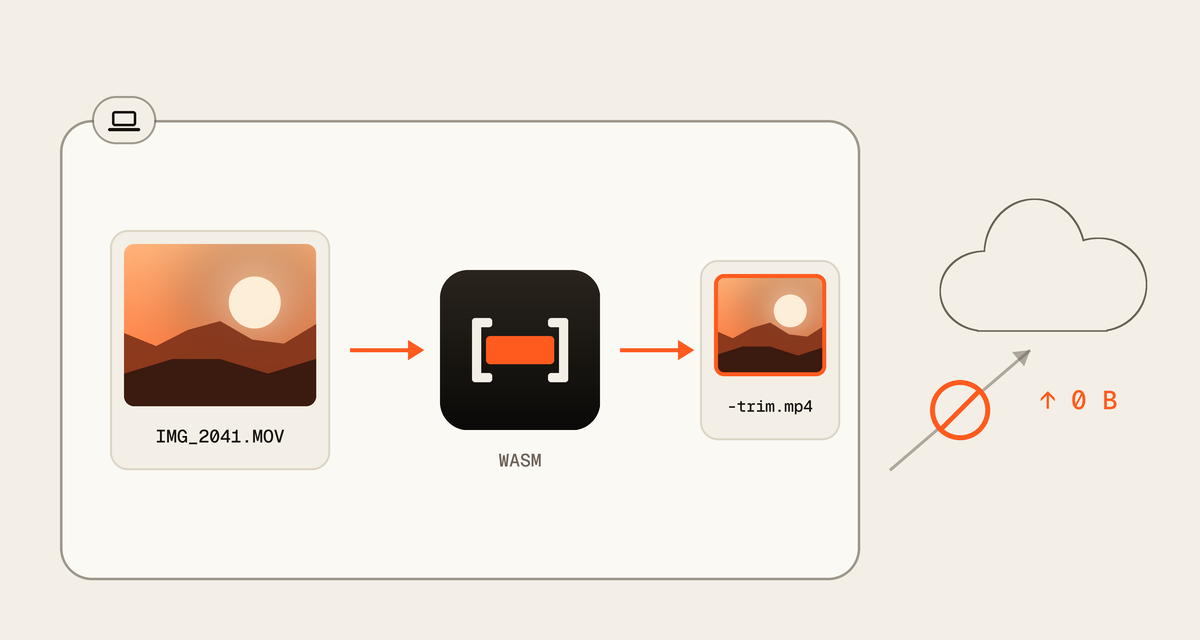
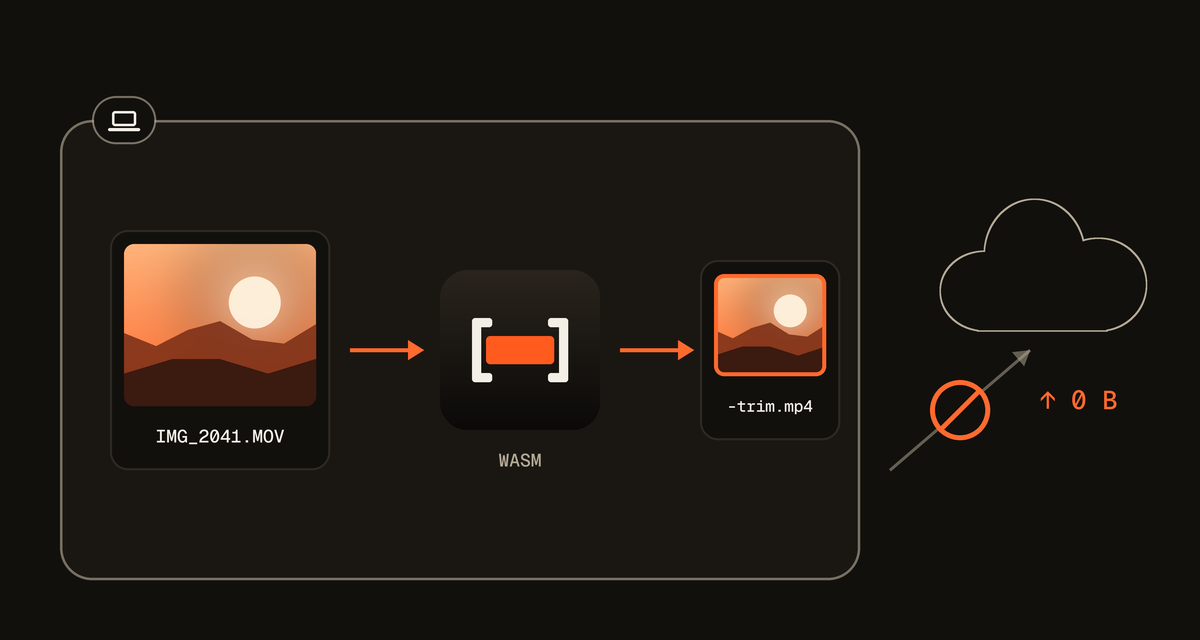
Many online cutters upload your file first. QuickVideoCutter.com works inside your browser, so there is no upload to wait for and no copy of your video anywhere else.
Questions
Something else? Contact us
How do I extract audio from a video?
To extract audio from a video, open it above and press Export M4A. The sound is copied out as it is, and the M4A downloads to your device.
Can I get an MP3 instead?
An MP3 would mean re-encoding the sound, which loses a little quality, so this page makes an M4A instead. M4A plays on iPhone, Android, Mac and Windows, with the sound exactly as it was.
Can I extract only part of the audio?
Extracting part of the audio works: set Start and End by dragging or typing times. The cut lands on whole audio frames, about 21 milliseconds apart at 48 kHz, not on keyframes as a video cut does.
Why can't my video's sound be extracted?
A video with no sound, or with Opus or AC-3 sound, can't be extracted here. An M4A can't hold Opus or AC-3 without re-encoding, and the panel says so before you export.
Is my video uploaded?
Your video is never uploaded. The file opens in your browser and its sound is extracted on your device. Nothing the page sends ever includes the file or its name.