
Compress for email
Compress a video for email
To compress a video for email, open it here and export: 20 MB is already set, under the Gmail and Outlook limits.
- No upload
- No watermark
- No signup
Drop a video here
- MP4
- MOV
- MKV
- WebM
- Any size
It opens on your device and is never uploaded.
How to compress a video for email
 By Milind Sahu, tested on real iPhone and Android videos. Updated .
A 1080p video keeps its full picture up to 1 minute 35 seconds, and a longer one gets a smaller picture. Your video is never uploaded: it compresses in your browser, free.
- Step 1
Open your video
Drop a video on the editor or choose one from your files. Nothing is uploaded: it opens right here, even a long 4K video.
- Step 2
Check the new size
The panel shows the new size and picture before you export. Press another size, or drag the timeline handles to keep a shorter part with a sharper picture.
- Step 3
Export and send
The video is re-encoded on your device into an MP4 under 20 MB. If it comes out over, it tries again a little smaller, up to three times.
Gmail and Outlook attachment size limits
The Gmail attachment size limit is 25 MB on a personal account, and Outlook.com also allows 25 MB. Desktop Outlook stops at 20 MB by default for internet email accounts, so 20 MB fits all three.
| Email service | Attachment limit | Compress to fit |
|---|---|---|
| Gmail, personal account | 25 MB | Compress to 25 MB |
| Outlook.com | 25 MB | Compress to 25 MB |
| Outlook desktop, internet account | 20 MB | Compress to 20 MB |
| Exchange mailbox, by default | 10 MB | Compress to 10 MB |
On a work or school account the administrator decides. An Exchange mailbox stops at 10 MB by default, and Gmail's limit is set by the Google Workspace administrator.
From Gmail Help, Microsoft's Outlook.com sending limits and Microsoft's Outlook attachment article, checked November 2, 2026.
How long a video fits in 20 MB
At 20 MB, a video with sound keeps 1080p up to 1 minute 35 seconds, 720p up to 3 minutes 10 seconds and 480p up to 5 minutes 40 seconds. Anything longer, up to 8 minutes 33 seconds, is saved at 360p.
Each picture needs a bitrate to stay sharp: 1.5 Mbps for 1080p, 700 kbps for 720p, 350 kbps for 480p and 200 kbps for 360p. The sound takes 96 kbps, and 5% of the size is kept in reserve.
Your video never leaves your device
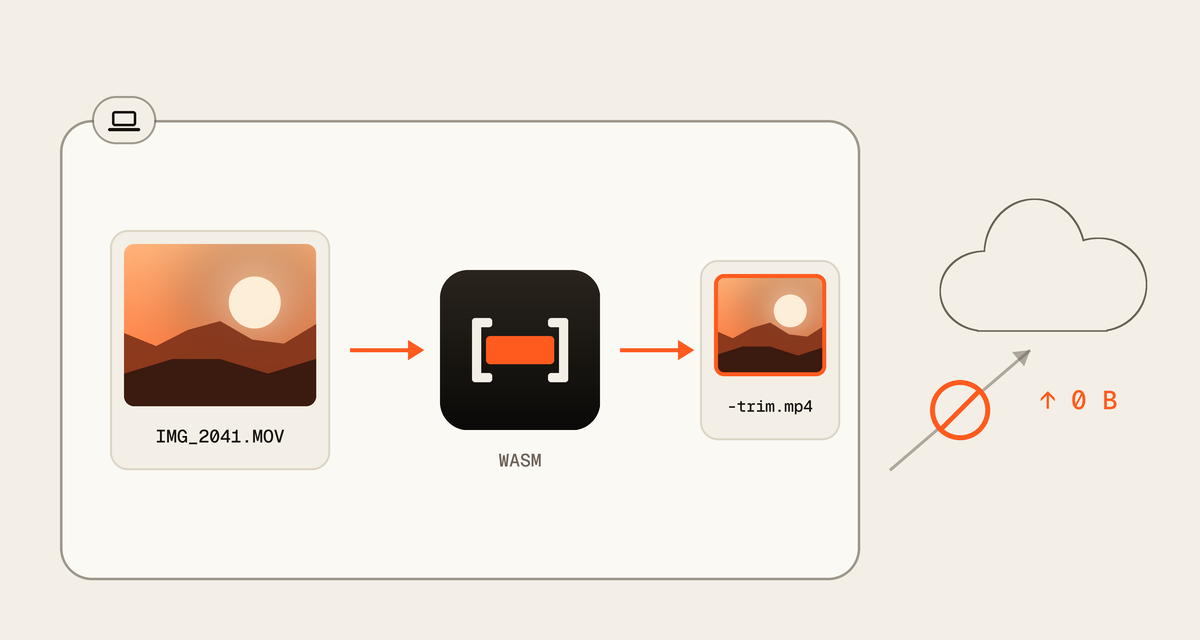
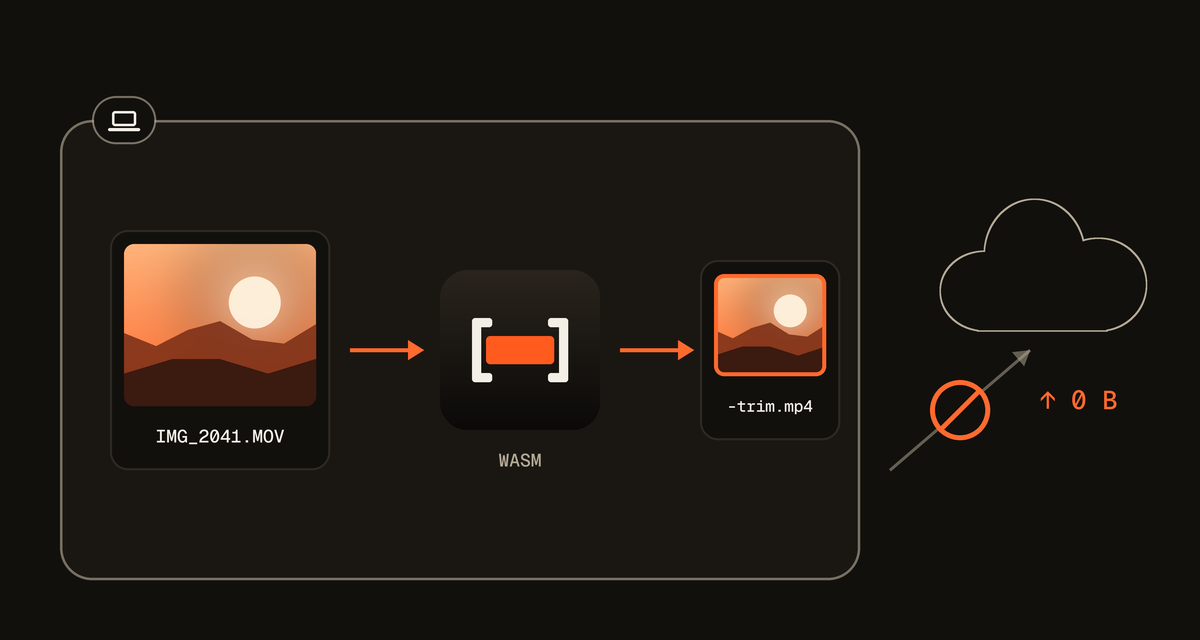
Many online cutters upload your file first. QuickVideoCutter.com works inside your browser, so there is no upload to wait for and no copy of your video anywhere else.
Questions
Something else? Contact us
How do I compress a video for email?
To compress a video for email, open it above and export: 20 MB is already chosen. The panel shows the new size and picture first, and the file it saves is under 20 MB.
What is the Gmail attachment size limit?
The Gmail attachment size limit is 25 MB on a personal account. On a work or school account, the administrator sets it. A larger file goes as a Google Drive link instead.
How long can a video be to fit an email?
A video up to 8 minutes 33 seconds with sound fits in 20 MB, at 360p. For a sharper picture keep it shorter: up to 1 minute 35 seconds for 1080p, or 3 minutes 10 seconds for 720p.
Is my video uploaded?
Your video is never uploaded. The file opens in your browser and is compressed on your device, by your browser's own video encoder. Nothing the page sends ever includes the file or its name.