
Split a video for Instagram
Split a video for Instagram stories
To split a video for Instagram stories, open it and export: every part comes out 60 seconds or shorter, the longest one story clip plays.
- No upload
- No watermark
- No signup
Drop a video here
- MP4
- MOV
- M4V
- Any size
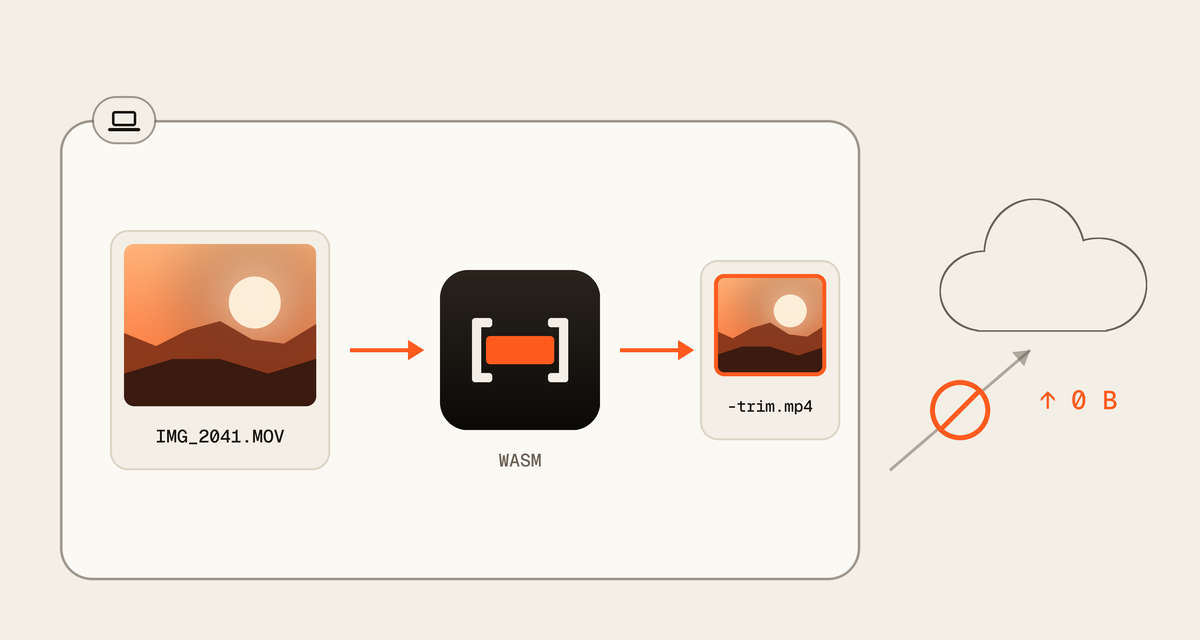
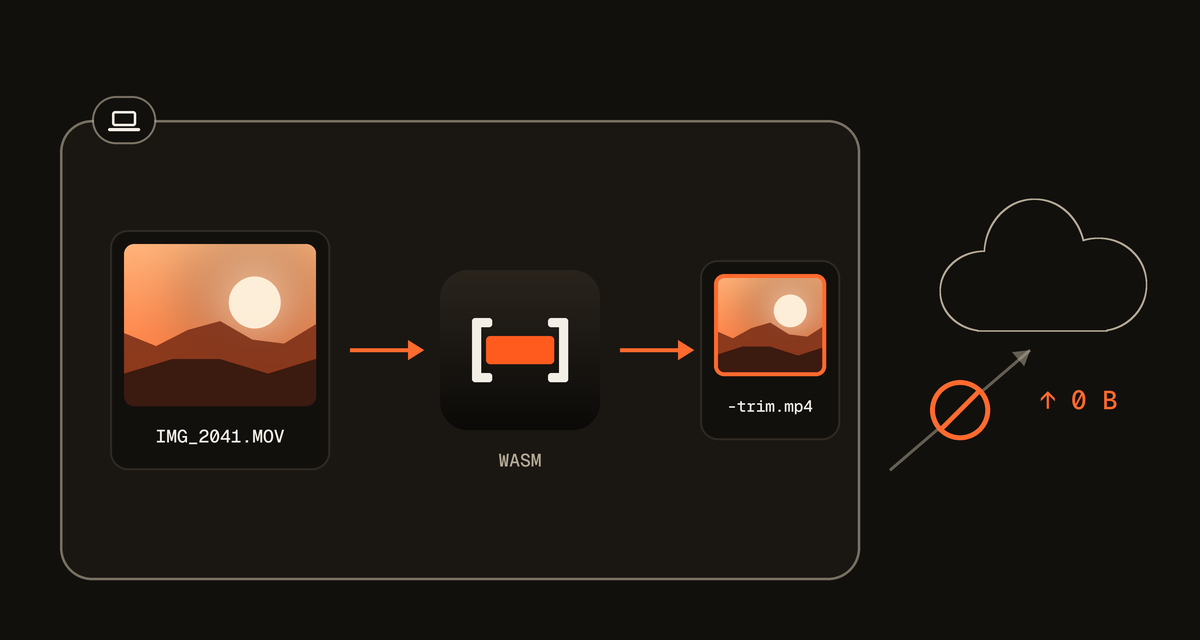
It opens on your device and is never uploaded.
How to split a video for Instagram stories
 By Milind Sahu Updated .
Parts are copied from the original frames, so quality stays the same. Your video is never uploaded: it is split in your browser, free and without a watermark.
- Step 1
Open your video
Drop a video on the editor or choose one from your files. Nothing is uploaded: it opens right here, even a long 4K video.
- Step 2
Check the parts
The panel shows how many parts you get and the longest one, never more than 1:00.0. Press a shorter preset if you want smaller parts.
- Step 3
Export and post
Download the parts one by one, or all together as a ZIP. Then add them to your story in order, or keep some for another day.
Why a part can be a little shorter than 60 seconds
A video is stored in groups of frames, and each group begins with a keyframe. A part copied without re-encoding has to start on one.
So when a part would run past 60 seconds, QuickVideoCutter.com ends it sooner, on a keyframe. Every part fits, nothing is lost between parts, and the panel shows the longest one.
Your video never leaves your device
Many online cutters upload your file first. QuickVideoCutter.com works inside your browser, so there is no upload to wait for and no copy of your video anywhere else.
Questions
Something else? Contact us
How long can an Instagram story video be?
An Instagram story clip plays for up to 60 seconds, Instagram's guide to Stories says. Instagram splits a longer video into several clips by itself, so the whole video plays through.
Why split a video before posting it to my story?
Splitting it first lets you choose the parts: leave out the ones you do not want, post them on different days, or keep each part as its own file to share somewhere else.
Does splitting a video lower the quality?
Splitting a video does not lower the quality. Every part is copied byte for byte from the original, not re-encoded, so picture, bitrate and frame rate stay exactly as they were.
Is my video uploaded?
Your video is never uploaded. The file opens in your browser and the parts are made on your device. Nothing the page sends ever includes the file or its name.